¿Qué es A11y Publisher? What is A11y Publisher?
A11y Publisher (creado a partir del proyecto A11y Canvas Builder) es el puente definitivo entre los diseños visuales de Figma y la accesibilidad digital para lectores de pantalla. Permite a diseñadores, equipos de accesibilidad y desarrolladores estructurar, etiquetar y auditar el orden de lectura de cualquier pantalla o infografía compleja directamente desde Figma o desde su aplicación web complementaria. A11y Publisher (built upon the A11y Canvas Builder project) is the definitive bridge between visual designs in Figma and assistive technology. It empowers designers, accessibility specialists, and developers to structure, tag, and verify the logical reading order of any complex screen or infographic directly inside Figma or its complementary browser canvas.
Los 3 Pilares de A11y Publisher The 3 Core Pillars of A11y Publisher
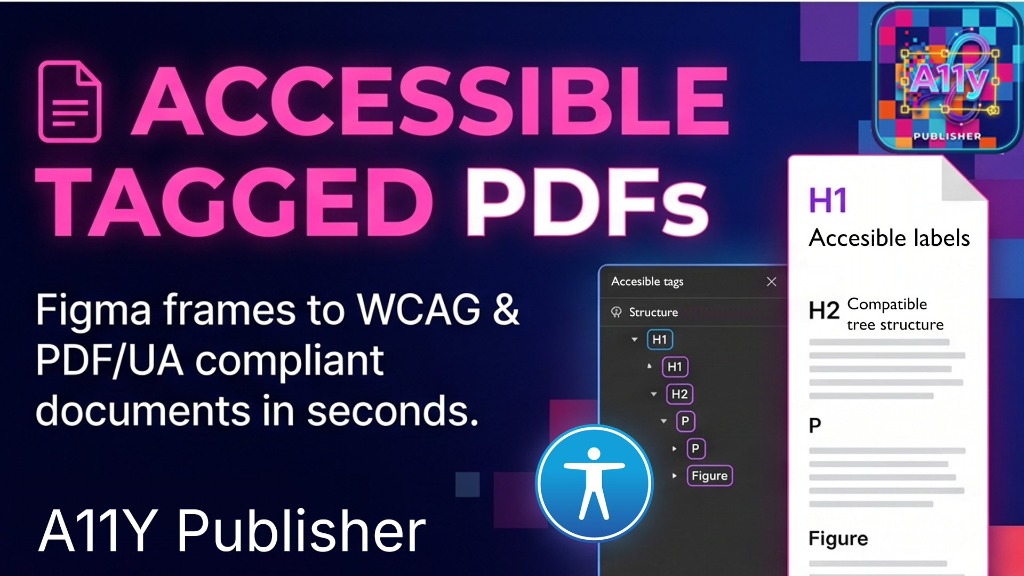
Accessible Tagged PDFs (PDF/UA & WCAG 2.2) Accessible Tagged PDFs (PDF/UA & WCAG 2.2)
Convierte marcos y composiciones de Figma en documentos PDF/UA (ISO 14289-1) válidos en cuestión de segundos. Define encabezados jerárquicos (H1, H2, H3), párrafos de texto continuo, listas etiquetadas (Lbl / LBody) y tablas de datos complejas (Table, THead, TR, TH, TD). Totalmente compatible con motores backend como iText 7.2.x garantizando dimensiones estrictas que evitan errores de recorte o páginas en blanco (0x0). Convert Figma frames and visual compositions into certified PDF/UA (ISO 14289-1) documents in seconds. Establish a clean structural tree with headings (H1, H2, H3), paragraphs, lists (Lbl / LBody), and complex data tables (Table, THead, TR, TH, TD). Fully compatible with backend PDF engines like iText 7.2.x with strict absolute boundaries preventing clipping or 0x0 errors.
- Estructura de árbol compatible PDF/UAPDF/UA compliant tree structure
- Marcado de Artefactos (elementos decorativos ignorados)Artifact tagging for decorative elements
- Figuras con texto alternativo enriquecidoFigures with rich alt text attributes
- Generación de marcadores de índice internosInternal table-of-contents bookmarks
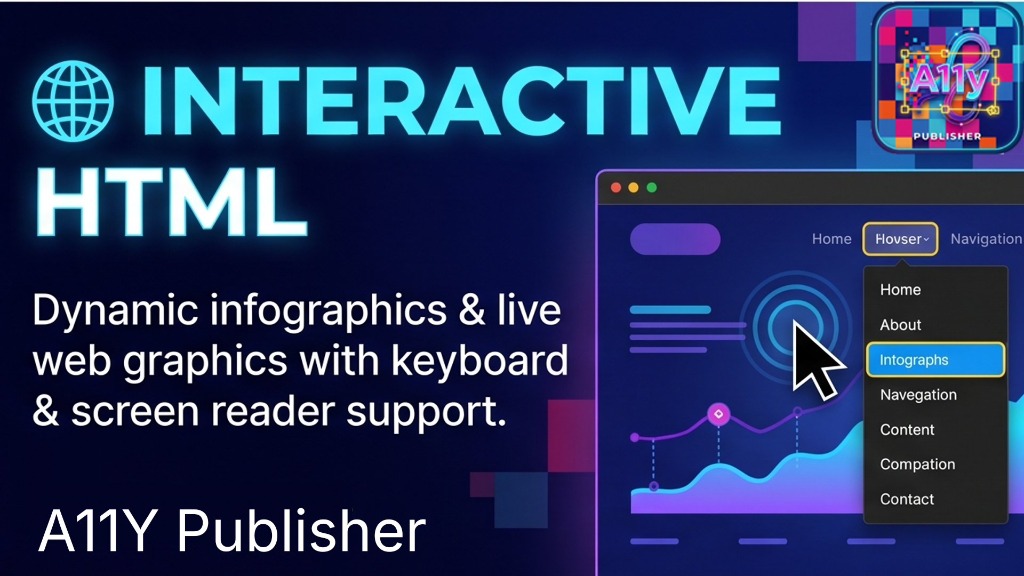
Interactive HTML (Infografías y Gráficos Dinámicos) Interactive HTML (Dynamic Infographics & Graphics)
No exportes imágenes planas inaccesibles. Genera infografías y gráficos interactivos con soporte completo
para lectores de pantalla (NVDA, JAWS, VoiceOver) y navegación estricta por teclado mediante la tecla Tab.
Incluye estados de foco visibles de alto contraste, menús popover, desplegables de navegación y zonas ampliables.
Never export flat inaccessible images again. Generate live interactive infographics and charts with out-of-the-box
support for screen readers (NVDA, JAWS, VoiceOver) and strict keyboard navigation via the Tab key.
Includes high-contrast visible focus indicators, popovers, navigation flyouts, and expandable zones.
- Foco secuencial accesible con
tabindex="0"Sequential keyboard focus viatabindex="0" - Hipervínculos interactivos y anclas funcionalesInteractive hyperlinks and anchor navigation
- Pruebas en tiempo real con emuladores integradosReal-time live preview within browser
- Exportación de HTML autónomo sin dependencias pesadasSelf-contained standalone HTML export
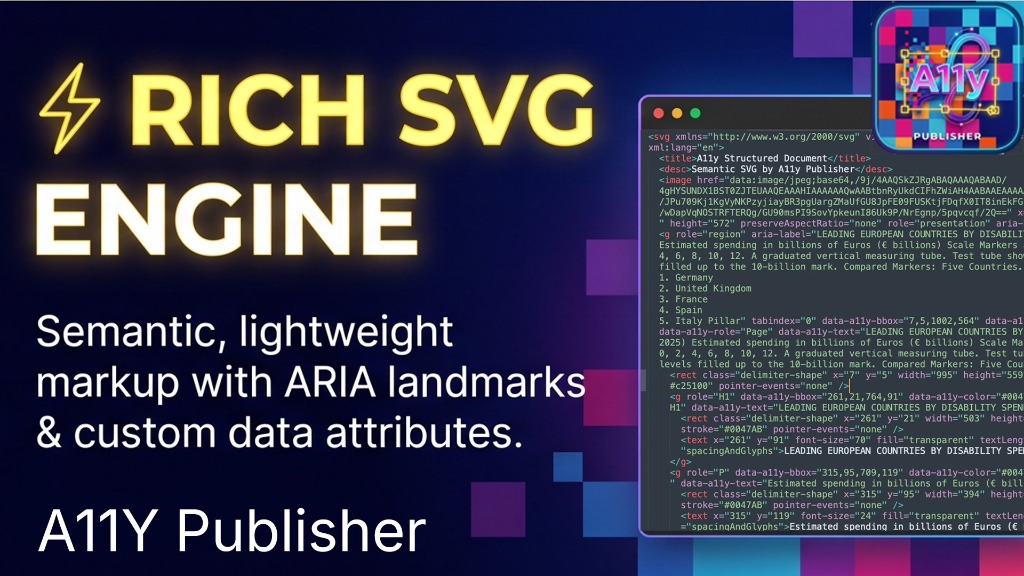
Rich SVG Engine (Marcado Ligero con ARIA Landmarks) Rich SVG Engine (Lightweight Markup with ARIA Landmarks)
El motor vectorial produce código SVG impecable y ultraligero que incorpora landmarks de WAI-ARIA
(role="region", role="presentation", aria-label) y metadatos de coordenadas
(data-a11y-bbox, data-a11y-role, data-a11y-text).
Capas de texto transparentes perfectamente sincronizadas con los glifos originales para que cualquier lector de pantalla verbalice el contenido con naturalidad.
The vector engine outputs clean, lightweight SVG code enriched with WAI-ARIA landmarks
(role="region", role="presentation", aria-label) and bounding box coordinate metadata
(data-a11y-bbox, data-a11y-role, data-a11y-text).
Synchronized invisible text overlays ensure assistive technologies read the vector content with perfect pronunciation and cadence.
- Atributos semánticos WAI-ARIA 1.2 nativosNative WAI-ARIA 1.2 semantic attributes
- Metadatos
data-a11y-*para inspección y auditoríadata-a11y-*metadata for auditing & pipelines - Calibración tipográfica precisa (spacingAndGlyphs)Typographic glyph spacing calibration
- Eliminación de basura vectorial y código redundanteZero vector bloat or redundant Figma overhead
Funcionalidades Avanzadas Advanced Features
🔍 Targeted Zone OCR Targeted Zone OCR
¿Una sección gráfica tiene texto difícil de leer? Dibuja un rectángulo con precisión sobre cualquier zona para ejecutar o refinar el OCR únicamente en ese fragmento, ajustando el contraste de reconocimiento al vuelo. Tough typography or complex layout? Draw a bounding box around any specific zone to refine or re-run OCR on that section alone with localized threshold tuning.
🖐️ Orden de Lectura Drag & Drop Drag & Drop Reading Order
Los lectores de pantalla siguen el orden del DOM, no el orden visual. El inspector lateral te permite arrastrar y reorganizar los bloques estructurales para garantizar una secuencia de lectura 100% lógica. Assistive devices follow DOM order, not visual layout. Reorder content blocks effortlessly with drag-and-drop in the side inspector to ensure a completely logical reading sequence.
🎨 Integración Nativa con Figma Native Figma Integration
Selecciona cualquier Frame o grupo en tu archivo de Figma y abre el plugin para heredar geometría, capas tipográficas, vectores y jerarquías automáticamente. También disponible mediante Figma API Token. Select any frame or layer group in your Figma file to import geometry, auto-layout parameters, and typography automatically into the accessible publisher pipeline.
👁️ HITL (Human-in-the-Loop) HITL (Human-in-the-Loop)
La accesibilidad real requiere validación humana. La interfaz HITL combina la velocidad de la detección automática con la capacidad del diseñador de validar cada etiqueta antes de exportar. True accessibility requires human verification. The HITL workflow pairs automatic zone detection with direct designer approval of alt texts and tags prior to export.
Flujo de Trabajo Paso a Paso Step-by-Step Workflow
- Abre el plugin en Figma o en el Canvas WebLaunch the plugin in Figma or Web Canvas: Selecciona el frame que deseas publicar de forma accesible. Select the frame or design you wish to publish accessibly.
- Detección y OCR AutomáticoDetection & Automatic OCR: El motor extrae los textos y vectores manteniendo las proporciones exactas mediante WebAssembly. The engine detects text and vectors with pixel-accurate coordinates via WebAssembly.
- Etiquetado SemánticoSemantic Tagging: Asigna roles (H1, H2, P, Lista, Tabla, Figura con alt-text o Artefacto decorativo) en el panel inspector. Assign roles (H1, H2, P, List, Table, Figure with alt text or decorative Artifact) in the inspector.
- Ajuste de Secuencia de LecturaReorder Reading Sequence: Reorganiza el árbol de lectura con arrastrar y soltar para que un lector de pantalla lo narre sin saltos. Reorganize the reading hierarchy using drag-and-drop for natural screen reader delivery.
- Exportación Multi-formatoMulti-format Export: Haz clic en exportar para obtener tu PDF/UA etiquetado, HTML interactivo para web o SVG enriquecido. Click export to get your tagged PDF/UA, keyboard-friendly interactive HTML, or rich SVG.
Figma Nativo vs A11y Publisher PRO Native Figma vs A11y Publisher PRO
| FuncionalidadFeature | Figma EstándarStandard Figma | A11y Publisher PROA11y Publisher PRO |
|---|---|---|
| PDF Etiquetado Conforme a PDF/UA (ISO 14289)Tagged PDF Compliant with PDF/UA (ISO 14289) | ||
| Semántica WAI-ARIA (role, aria-label) en SVGWAI-ARIA semantics (role, aria-label) in SVG | ||
| Navegación Interactiva por Teclado (Tabindex)Interactive Keyboard Navigation (Tabindex) | ||
| OCR Local 100% en el Navegador (WASM)100% Local In-Browser OCR (WASM) | ||
| Reordenación Visual del Reading Order (HITL)Visual Reading Order Reordering (HITL) | ||
| Compatibilidad con Motores Backend (iText 7.2.x)Backend Engine Compatibility (iText 7.2.x) | ||
| Privacidad Total: Sin envíos a servidores externosTotal Privacy: Zero external server uploads |
Elige tu Plan de A11y Publisher Choose Your A11y Publisher Plan
Potencia tu flujo de diseño inclusivo con planes adaptados a profesionales individuales, consultores y grandes equipos. Empower your inclusive design workflow with plans tailored for solo professionals, consultants, and teams.
- ✓ Exportación PDF/UA ilimitadaUnlimited PDF/UA exports
- ✓ Motor Rich SVG con WAI-ARIARich SVG engine with WAI-ARIA
- ✓ HTML Interactivo para webInteractive web HTML output
- ✓ OCR Local por zonas sin límiteUnlimited local zone OCR
- ✓ Actualizaciones del pluginAll plugin updates included
- ✓ Todas las funciones del Plan MensualEverything in Monthly plan
- ✓ Ahorro de más de 29 € anualesSave over 29 € per year
- ✓ Soporte técnico prioritario por emailPriority email support
- ✓ Acceso anticipado a nuevas betasEarly access to new features
- ✓ Garantía de compatibilidad continuaContinuous engine compatibility
- ✓ Hasta 5 asientos de usuario simultáneosUp to 5 concurrent team seats
- ✓ Gestión centralizada de licenciasCentralized license management
- ✓ Soporte directo para integración iTextDirect support for iText pipelines
- ✓ Facturación con datos fiscales de empresaCompany tax invoice & receipt
- ✓ Sesión de onboarding de 45 minutos45-minute onboarding session
🔒 Pago seguro gestionado a través de Payhip con Stripe y PayPal. IVA incluido cuando aplique. Secure payment processed via Payhip with Stripe & PayPal. VAT included where applicable.
¿Listo para transformar tus diseños en documentos accesibles? Ready to transform your designs into accessible documents?
Instala ahora el plugin directamente desde el Figma Community Store o adquiere tu licencia comercial en nuestra tienda oficial. Install the plugin right now from the Figma Community Store or get your team commercial license in our official shop.
Preguntas Frecuentes Frequently Asked Questions
¿Cómo funciona la instalación en Figma? How does Figma installation work?
Solo debes hacer clic en "Instalar en Figma Store". El plugin se añadirá inmediatamente a tu biblioteca de plugins de Figma y podrás abrirlo en cualquier archivo con botón derecho > Plugins > A11y Publisher. Simply click "Download from Figma Community Store". The plugin is instantly added to your Figma account and can be launched in any file via right-click > Plugins > A11y Publisher.
¿Qué estándares de accesibilidad cumple? Which a11y standards does it meet?
Cumple rigurosamente con PDF/UA (ISO 14289-1), las directrices WCAG 2.2 nivel AAA y la recomendación W3C WAI-ARIA 1.2 para gráficos y landmarks. It strictly adheres to PDF/UA (ISO 14289-1), WCAG 2.2 level AAA, and W3C WAI-ARIA 1.2 graphic landmarks.
¿Necesito enviar mis imágenes a una API externa? Do I need to send images to an external API?
No. Todo el análisis, OCR y generación de SVG / PDF ocurre 100% en la memoria de tu navegador o cliente Figma a través de WebAssembly. Cero datos compartidos. No. All text recognition, parsing, and SVG/PDF export take place 100% locally in your machine's memory via WebAssembly. Zero data shared.
¿Cómo activo mi licencia adquirida en Payhip? How do I activate my Payhip license?
Tras completar tu compra en Payhip recibirás tu clave de licencia inmediatamente por email. Abre el plugin en Figma, haz clic en el icono de ajustes y pega tu clave para desbloquear todas las funciones ilimitadas. After purchasing on Payhip, your license key is delivered instantly via email. Open the plugin in Figma, go to Settings, and paste your key to unlock all unlimited features.